The memory card is the part most likely to lose your data
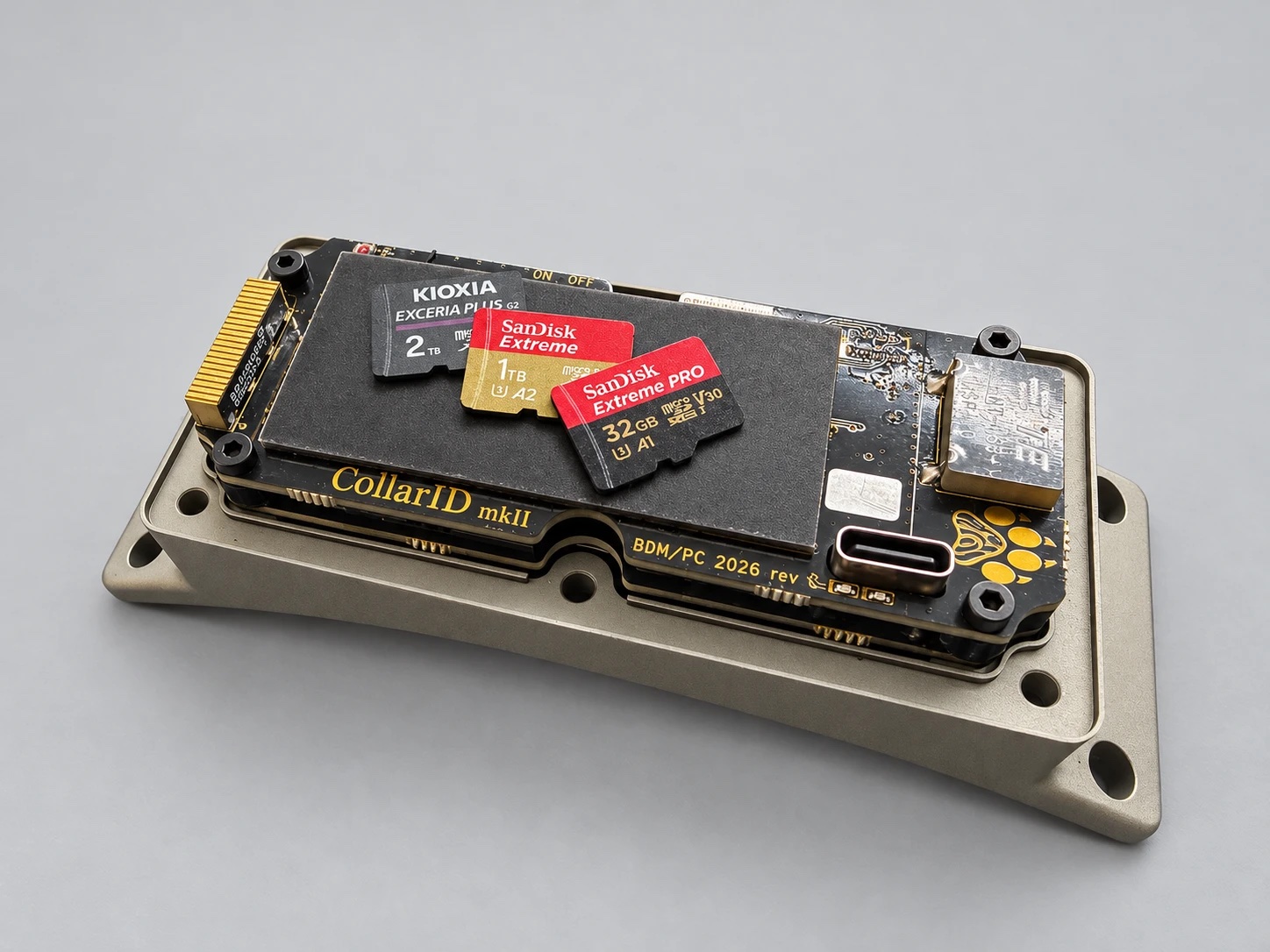
This one is about a single subject, memory cards, because that is where most of my last two weeks went. I think it is useful to anyone who puts a recorder or a logger on an animal, whether or not the device is one of ours. I have lost count of the researchers who have told me a version of the same story. The device came back from the field, the card went into the laptop, and the laptop said the card needed to be formatted, or the files were all there but half of them would not open, and nobody could say why. So the card got blamed, a new one got bought, and the season’s data has a hole in it to this day. Data corruption on these cards is real and more common than people think, and it is rarely explained, partly because explaining it takes days of reading the card byte by byte. It has happened to us too, with a card we were evaluating in one of our own test collars. It came back unreadable, and the rest of this issue is what we learned from working out why. | |||||||||||||||||||||||||||||||||||
Why the choice matters more nowMemory cards used to be the cheap part of a deployment, and that is no longer true. The memory inside a card is the same kind that AI data centers buy in enormous quantities, from the same handful of factories, and those factories now serve the data centers first. Cards are at the back of the line, so the ones we use cost two to three times what they did a year ago. For a project with a few dozen devices that puts cards in the annual budget, which is a strange thing to say about something you used to grab on the way out the door. So buying the wrong card costs more than it did, and with a collar there is a second cost on top, which is time: you usually do not find out whether the card worked until the device is back in your hands months later. We are working on that from the collar’s side. The collar is being built to report over the radio when its card is in trouble, so you hear about it during the deployment rather than after it, and a collar whose card has failed keeps going. It cannot record any more, but it keeps tracking and reporting where the animal is. | |||||||||||||||||||||||||||||||||||
What a card really isA memory card looks like a passive thing that holds files, and it is nothing of the sort. Inside is a small processor running its own firmware, which spends its time shuffling your data between the memory chips to spread the wear and keep the card healthy. Some of that shuffling happens on the card’s own schedule, after the device thinks the save is finished and has moved on. During my PhD I had the pleasure of working closely with Kioxia, and it gave me a real appreciation for how much effort goes into these cards, including the firmware they run. It also showed me the other side of the problem. It is very hard for a card maker to foresee every kind of abuse people will put a card through, and field researchers in the remotest places are about as far from the expected use as it gets. Here is the abuse in our case. A battery-powered device cannot afford to keep the card switched on, so a collar, like most loggers, powers the card up, saves, and powers it down again, and if it is recording something high-bandwidth like audio it does that more than a thousand times a day. Every one of those power-downs can land in the middle of the card’s own housekeeping, and how well a card copes with that varies enormously from one model to the next. Nobody prints it on the packaging. | |||||||||||||||||||||||||||||||||||
What we foundTwo things came out of reading our damaged card. The first is that the index was gone, while most of the recordings were still there. A card keeps a table of contents saying which file lives where, and on our card that table had been overwritten, so a computer saw an empty or broken card even though the sound underneath was largely intact. I will come back to why that matters. The second is that it began with one save that failed, and our own firmware made it worse. The card had a bad moment and a save did not go through. The collar noticed, but it carried on using the card in that state, and the saves after that landed in the wrong places, which is how the table of contents got overwritten. The card caused the first problem and we caused the rest. One more thing, from earlier this year: the damage is often slow. In May we had cards pass short tests and then fail after longer use, so a weekend test tells you very little. | |||||||||||||||||||||||||||||||||||
What we are doing about itThe way the collar handles a failed save has been rebuilt so that one bad moment stays one bad moment. The save is done again properly, and nothing else on the card is touched until the card has been restarted. On the bench the new firmware has been through more than ten thousand power-ups of the card that failed, and the card has come back intact every time. It is not in a release yet. The same firmware changes how the collar treats cards in general. Until now it switched a card off between saves only if the card was one of the two we had approved, and kept every other card powered while it recorded, to protect it. That protection roughly doubles what recording costs. With the fix in place, the next firmware switches every card off between saves, as long as the card is formatted the way the collar formats it. A week-long test of exactly that is running now, on four collars with four different cards, and when it has passed, both changes go out together. On the card we recommend we have never seen this damage at all. | |||||||||||||||||||||||||||||||||||
Which card, and what it costs youI put five cards through the same collar on the same schedule and measured the battery each one uses. The table is for one demanding case: the collar recording sound every hour of the day at 16 kHz, uncompressed, with its light, weather and motion sensors on and GPS and the radio off. Every card was handled the same way, switched off between saves, so the only thing that differs between the rows is the card. The figure is how much light a day the collar needs to keep its battery level:
Your own schedule will differ, since GPS and the radio add to it and recording only part of the day takes away, and the Configure page works that out for you. One caution: these figures are for uncompressed recording. With the compressed format that new configurations use, the collar saves about a third as often, so the gap between cards should be smaller, but I have not measured that yet. What the table means:
So the list of cards we have tested is now five: Kioxia Exceria Plus (the one we recommend), SanDisk High Endurance 128 GB, SanDisk Extreme 128 GB and 1 TB, and SanDisk Extreme Pro 2 TB. Any other card will work, but we have not tested it, so its performance may vary. Two more things I did not expect:
| |||||||||||||||||||||||||||||||||||
| |||||||||||||||||||||||||||||||||||
What is comingTwo things are in the works. The collar will tell you which card it sees, in the app and on the website, and whether it is one we have tested, and the battery estimate will use the figures for that card instead of one number for every card. A card we have never seen will say so, so you know its performance may differ. | |||||||||||||||||||||||||||||||||||
|
If you have had a card fail in the field, on our hardware or anyone else’s, I would like to hear about it: which card, which device, and what the conditions were. Every one of those stories makes the next test better. Patrick Patrick Chwalek, PhD · New Lens Labs |